How to bulk list on eBay: CSV upload, Bulk Listing Tool, or AI

Listing one item on eBay takes a few minutes. Listing 300 the same way takes weeks. If you have a pallet, a storage unit or a store catalog to move, you need a bulk method.
There are three practical ways to bulk list on eBay: upload a spreadsheet through Seller Hub, reuse listings you already have with eBay's Bulk Listing Tool, or let AI build the listings for you. Very large sellers with a developer have a fourth option, the API. Here's how each one works and which one to pick.
Which bulk listing method fits you
You have a clean spreadsheet and photo links: use Seller Hub Reports (CSV upload).
You sell the same kinds of items again and again: use the Bulk Listing Tool and Sell similar.
You have messy data, or just a pile of items and photos: use an AI listing tool like Hero to write, price and publish in batches.
You move thousands of SKUs and have a developer: look at eBay's APIs.
Method 1: Bulk upload a CSV with Seller Hub Reports
Seller Hub Reports is eBay's built-in upload tool. It replaced the old File Exchange and takes CSV or Excel files.
Step 1: Download the right template
In Seller Hub, open the Reports tab.
Select Upload on the left.
Select Get template.
Choose Listings as the source.
Choose Create new listings template, or Create drafts template if you don't have photo links yet.
Select Download.
Step 2: Fill in one row per item
Each row becomes a listing. Fill in the title, category, condition, price, quantity and item details the template asks for. eBay suggests listing a single product this way first, so you learn the format before you upload 500 rows.
Photos are the catch. New listings uploaded this way generally need image links hosted online. If you don't have those, use the drafts template, leave the image column blank, and add photos when you turn each draft into a live listing.
Step 3: Upload and check the results
Go back to Reports, then Upload, and select Upload template.
Pick .csv or .xlsx, then the template type.
Select Upload.
eBay says most uploads finish in under 15 minutes, though very large files take longer. When it's done, download the results report and fix any rows that failed.
Good for: sellers who already keep inventory in a spreadsheet. Hard part: you still write every title, description and price yourself, and you need photo links.
Method 2: Reuse listings with the Bulk Listing Tool
eBay's Bulk Listing Tool lets you manage up to 2,000 listings in one view, with photo thumbnails and a table layout. It works best when you start from listings you already have.
You'll find it in a few places in Seller Hub:
Active listings: Edit, Sell similar, Create multiple listings
Unsold listings: Relist, Sell similar
Drafts: Resume drafts
Tick two or more listings (or Select all), then pick the action. From there you can set prices for many items at once, raise or lower prices by a percentage or dollar amount, and schedule start times.
Good for: repeat inventory, relisting unsold items and bulk price changes. Hard part: it doesn't do much for new, one-of-a-kind items. Each one still needs its own title, photos and price.
Method 3: Let AI write, price and publish in batches
Templates speed up the uploading. They don't speed up the real work: working out what an item is, checking what it sells for, writing it up and taking photos. By Hero's estimate, a listing done by hand can take up to 30 minutes. That's where your time goes.
An AI listing tool takes that part off your plate. Here's how it works in the Hero web dashboard, built for sellers with real inventory.
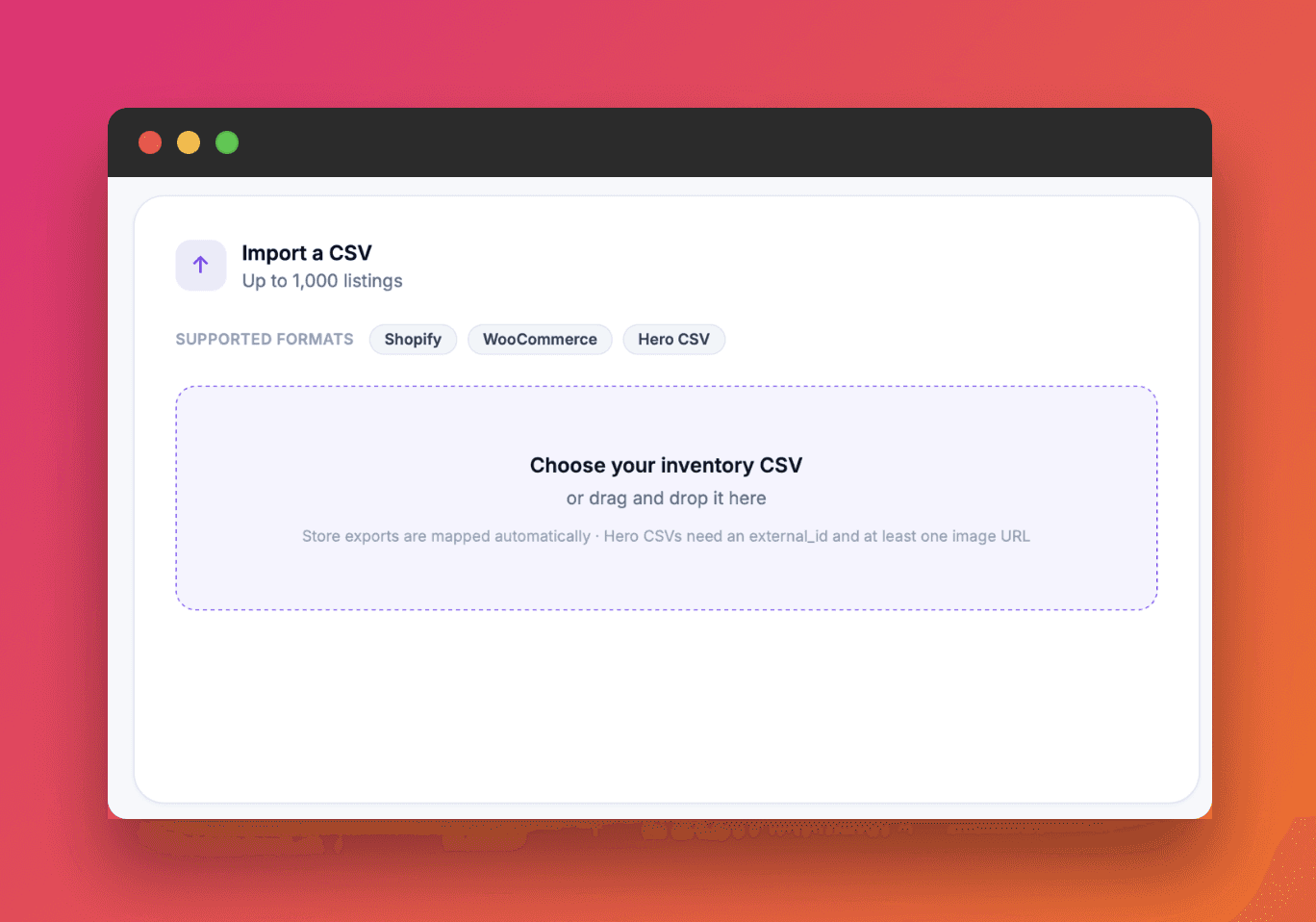
Step 1: Import what you already have
Upload a spreadsheet or CSV, a Shopify or WooCommerce product export, or a folder of photos. Partial or messy data is fine. Selling from an online store? Follow the Shopify and WooCommerce import guide.
Step 2: Hero identifies, writes and prices each item
Hero identifies each product, writes the title and description, and prices it against real sold data. If your photos are rough, Studio Photos turns one photo into six clean studio shots.
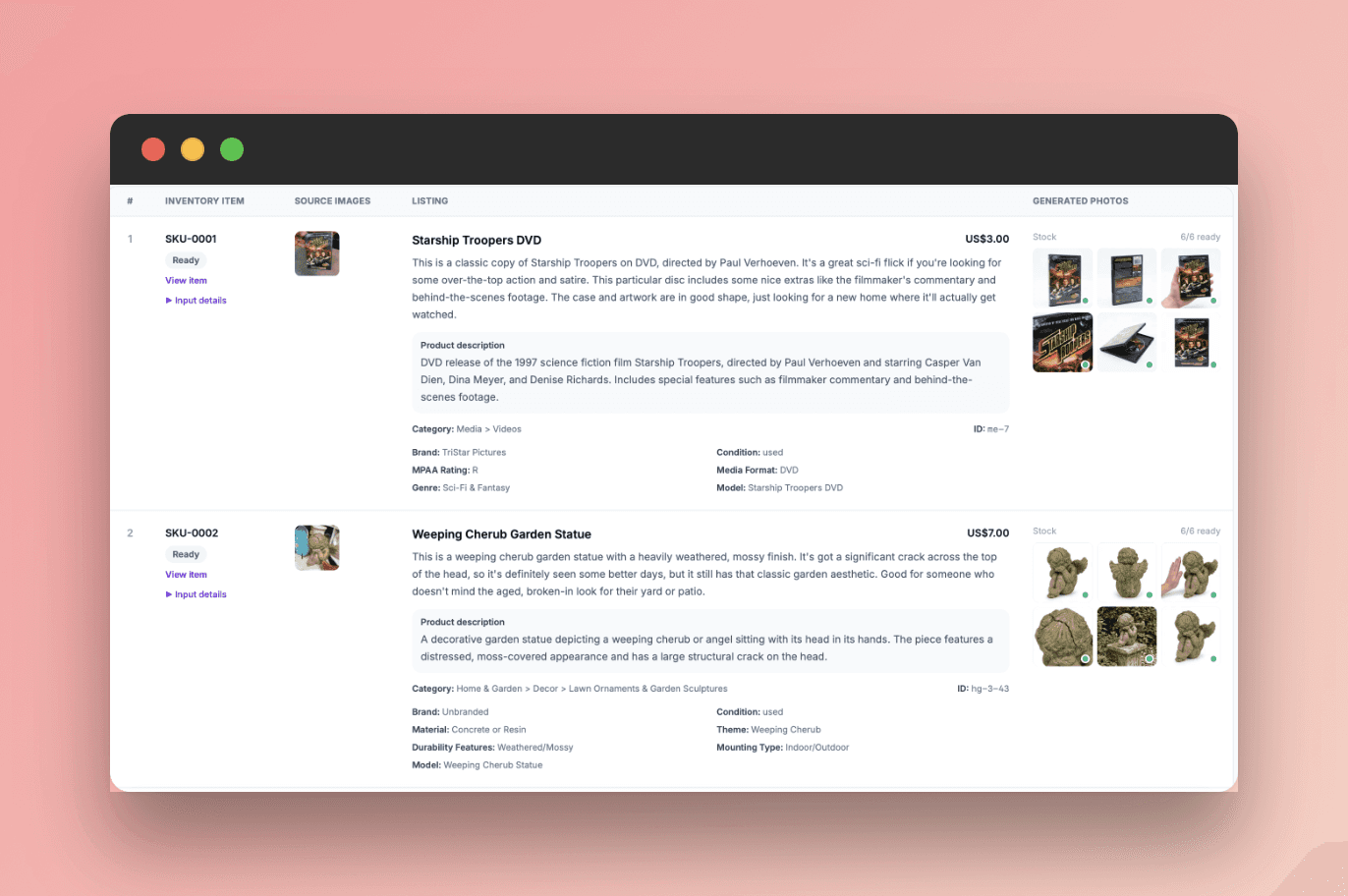
Step 3: Review the facts only you know
Every field stays editable, and nothing goes live without your approval. Check what a spreadsheet or photo can't prove:
The exact condition, plus any scratches, stains or missing parts
What's included: accessories, cables, manuals, box
Packed weight and dimensions for shipping
Step 4: Connect eBay and set up your business policies
Do this once, before your first bulk publish:
Connect your eBay account to Hero.
In eBay, set up business policies for shipping, returns and payment. In My eBay, open Account, then Business policies, choose a policy type from Create policy, give it a clear name like "Shipping – free ground", add the details and save. Repeat for each policy type.
Business policies are reusable templates, so every listing in a batch gets the same shipping, return and payment terms without you setting them item by item.
Step 5: Select up to 20 items and publish to eBay
In the dashboard, select up to 20 items and publish them to eBay in one go. These go up as live eBay listings, not eBay drafts, so buyers can see and buy them right away. Double-check each item before you hit publish. You can send a batch to Facebook Marketplace the same way, up to 5 items at a time. Then pick the next 20.
Need to change prices on a lot of live listings later? Use eBay's Bulk Listing Tool from Method 2.
Bulk publishing lives in the web dashboard, not the mobile app. Use your phone to capture items and your computer to list them.
Before you publish at volume, know your costs. Here's what eBay charges sellers in 2026. How many items you can publish each month depends on your Hero plan.
Good for: mixed inventory, pallets, estate leftovers and store catalogs. Hard part: you still review every item before it goes live, and that's the point.
Method 4: eBay APIs for very high volume
If you move thousands of SKUs and have a developer, eBay's Sell Feed API handles bulk uploads in code. eBay rates it high volume and high complexity. Hero also offers an API and MCP for high-volume sellers who want identification, pricing and listing details inside their own systems.
Bulk listing mistakes to avoid
Uploading 500 rows on your first try. Test with one item, then ten.
Copying retail prices. Price against what items actually sold for, not what a store charged.
Vague titles. Brand, model, size and color help buyers find the item. More in our guide to selling on eBay.
Hiding flaws. Show and describe wear honestly.
Skipping the results report. Failed rows don't fix themselves.
Got a pile to list? Try Hero for business free on the web, or capture items on the go with iOS or Android.
FAQ
What's the easiest way to bulk list on eBay?
If your inventory is already in a spreadsheet, Seller Hub Reports. If you only have the items and photos, an AI tool like Hero writes and prices the listings, then publishes them as live eBay listings in batches of up to 20.
How many listings can I manage at once on eBay?
eBay's Bulk Listing Tool lets you manage up to 2,000 listings in one view. CSV uploads through Seller Hub Reports usually finish in under 15 minutes.
Do I need photo links to bulk upload to eBay?
For new listings through Seller Hub Reports, generally yes. The Create drafts template lets you leave image links blank and add photos later.
Is eBay File Exchange still available?
Seller Hub Reports replaced File Exchange. Old File Exchange templates don't carry over, so download fresh ones in Reports.
Can I bulk list to eBay and Facebook Marketplace from one place?
Yes, with Hero. Your items live in one inventory, and you can publish batches of up to 20 to eBay or up to 5 to Facebook Marketplace without rebuilding each listing.
How to bulk list on eBay: CSV upload, Bulk Listing Tool, or AI

Price checker apps: how to check what something's worth before you buy it
The best apps for resellers in 2026

Is there an AI that creates eBay and Facebook Marketplace listings for you?

How to Import Shopify or WooCommerce Products to eBay and Facebook Marketplace
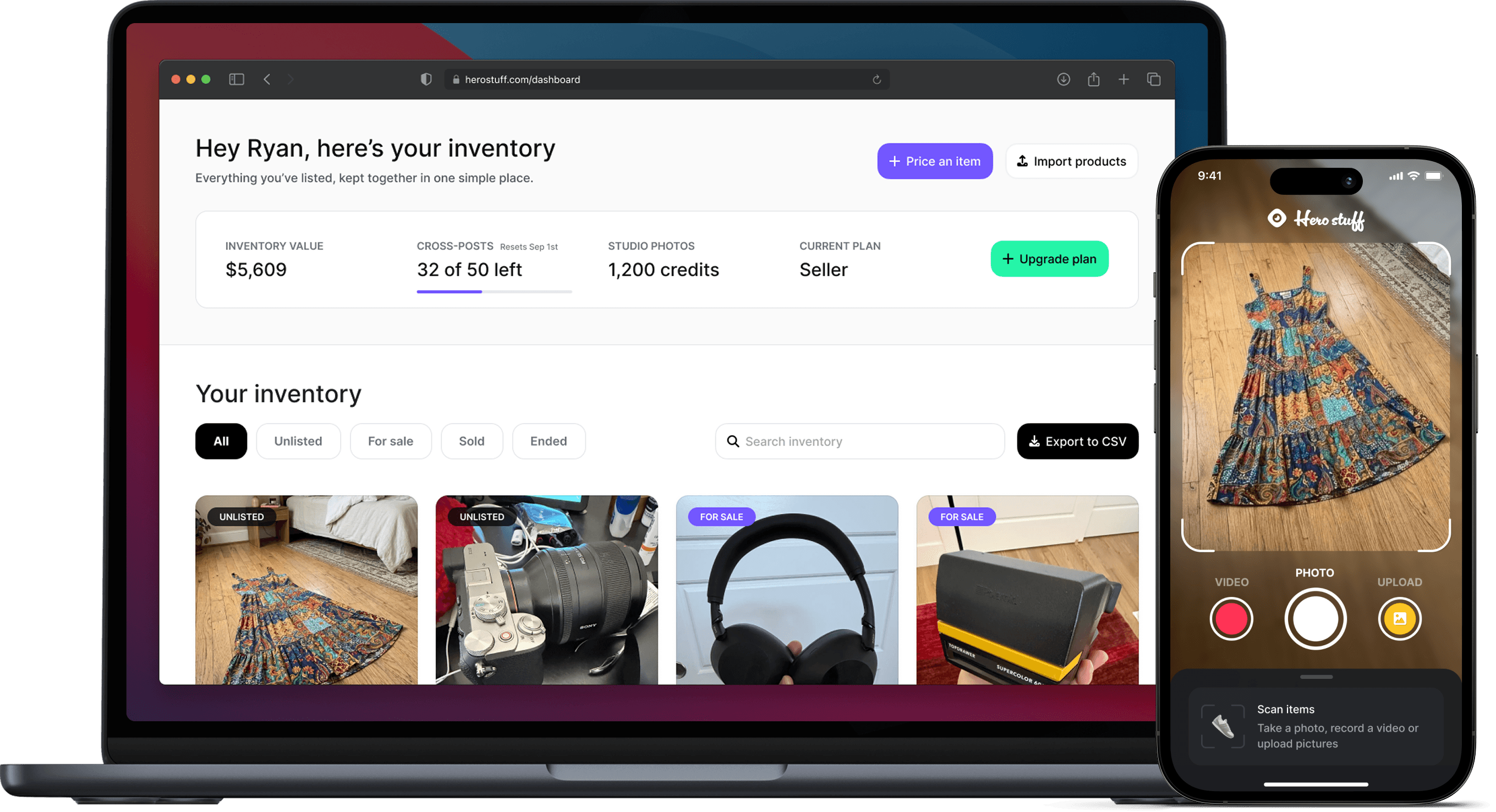
Hero now does bulk: connect Shopify, import your catalog, list everything

Hero is now available globally 🇩🇪 🇪🇬 🇮🇳