
The best apps for resellers in 2026
The best reselling app depends on which part of selling slows you down. Most resellers need help with four things: knowing what an item is worth, writing the listing, getting it in front of buyers on more than one marketplace, and keeping track of what's sold. One app can cover several of those, but no single tool is best at everything.
Here's how to pick, job by job.
What to look for in a reselling app
Before you download anything, ask:
Does it price from sold data? Asking prices are wishful thinking. Sold prices are what buyers actually paid.
How much typing does it save? Listing is the biggest time sink. Look for tools that fill in the title, description and item details for you.
Which marketplaces does it reach? More buyers usually means faster sales.
Does the cost match your volume? A casual declutterer and a full-time flipper need very different plans.
Can you review before anything goes live? You should always get the last word on condition and price.
Where to sell: the marketplace apps
These are where buyers are. Most resellers use two or three.
eBay: the biggest nationwide audience and the best place for collectibles, electronics, parts and anything niche. Fees apply, so know them first (eBay fees explained).
Facebook Marketplace: fast local sales, no shipping for pickup, and great for furniture and bulky items (beginner's guide).
Poshmark, Mercari and Depop: popular for clothing, shoes and accessories (selling used clothing).
New to all of this? Start with eBay and Facebook Marketplace. Together they cover shipped and local buyers. Our guide on how to sell on eBay walks through your first listing.
Watch: the top reselling apps ranked
Price checking apps
Pricing right is the difference between a quick sale and a listing that sits for months.
eBay sold listings: free and reliable. Search the item, filter by Sold, and match condition. It's slow if you're pricing a whole haul.
Hero Stuff Price Guide: a free price guide built on verified sold listings, covering cards, electronics, fashion and more.
AI price checkers: snap a photo and get a suggested price from recent sales. Handy in a thrift store aisle, when you have seconds to decide.
Step-by-step methods are in how to find out what anything is worth.
Listing and crosslisting apps
This is where most of your hours go, so it's where the right app pays off most.
AI listing apps take a photo, identify the item, suggest a price and write the title and description. You review it and publish. More on how they work in is there an AI that creates listings for you?
Crosslisting tools post one listing to several marketplaces so you don't retype it. Vendoo, List Perfectly and Crosslist are well-known examples. Compare which marketplaces each supports and how they price before you commit.
Some apps do both: write the listing with AI and post it to more than one marketplace.
Photo apps
Clear photos sell items. Your phone camera is enough if the light is good and the background is plain (product photography guide). Background removal and studio-style photo tools make a phone snapshot look professional. Always keep one honest photo of any wear.
Inventory and tracking
Once you're past a few dozen items, you need to know what you have, where it's listed and what sold.
A spreadsheet works for beginners: item, cost, list price, platform, date listed, sale price.
Dashboard tools take over when you have hundreds of items, letting you edit prices and titles in bulk and see everything on one screen.
Hero Stuff: one app for pricing, listing and crosslisting
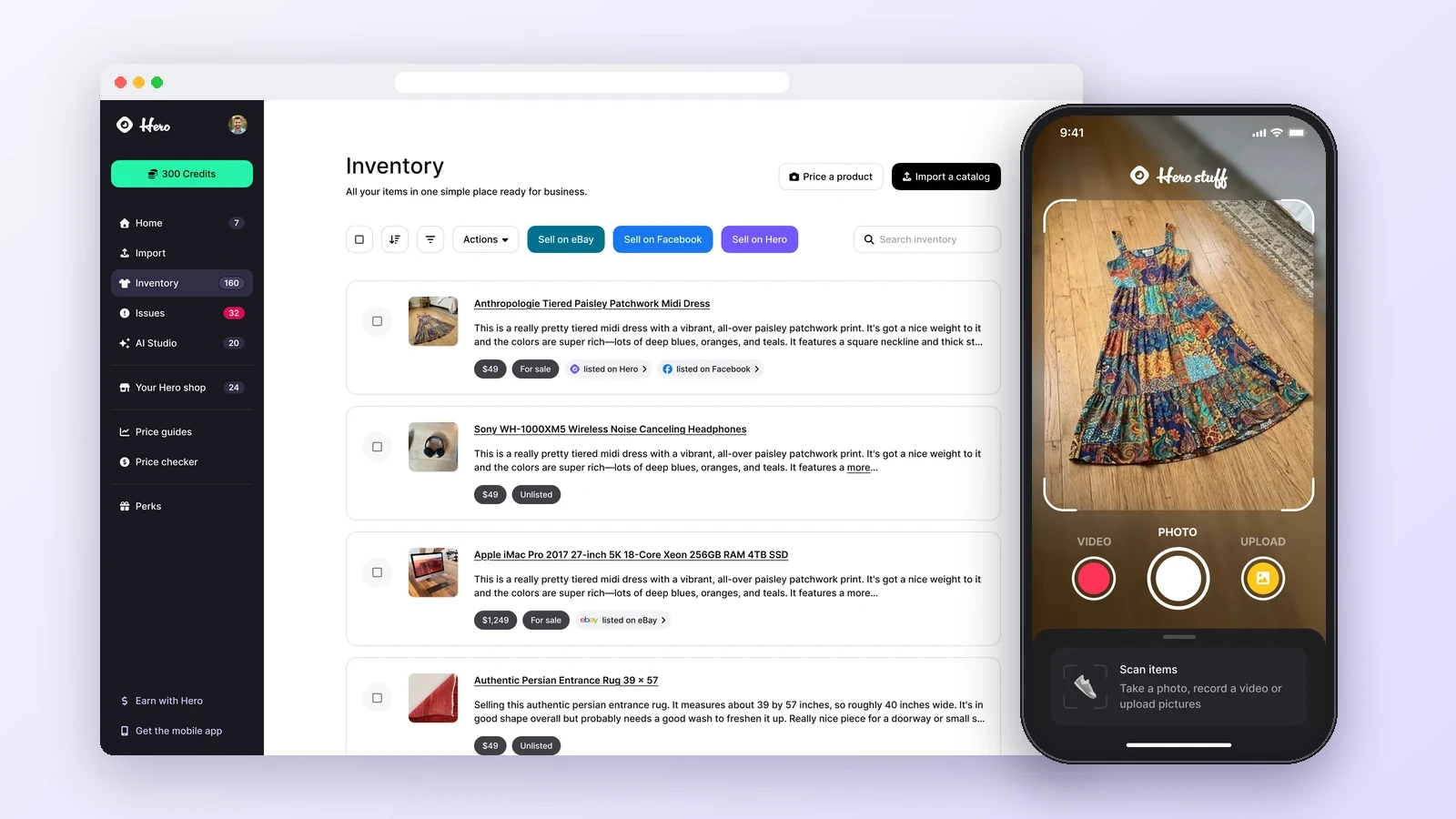
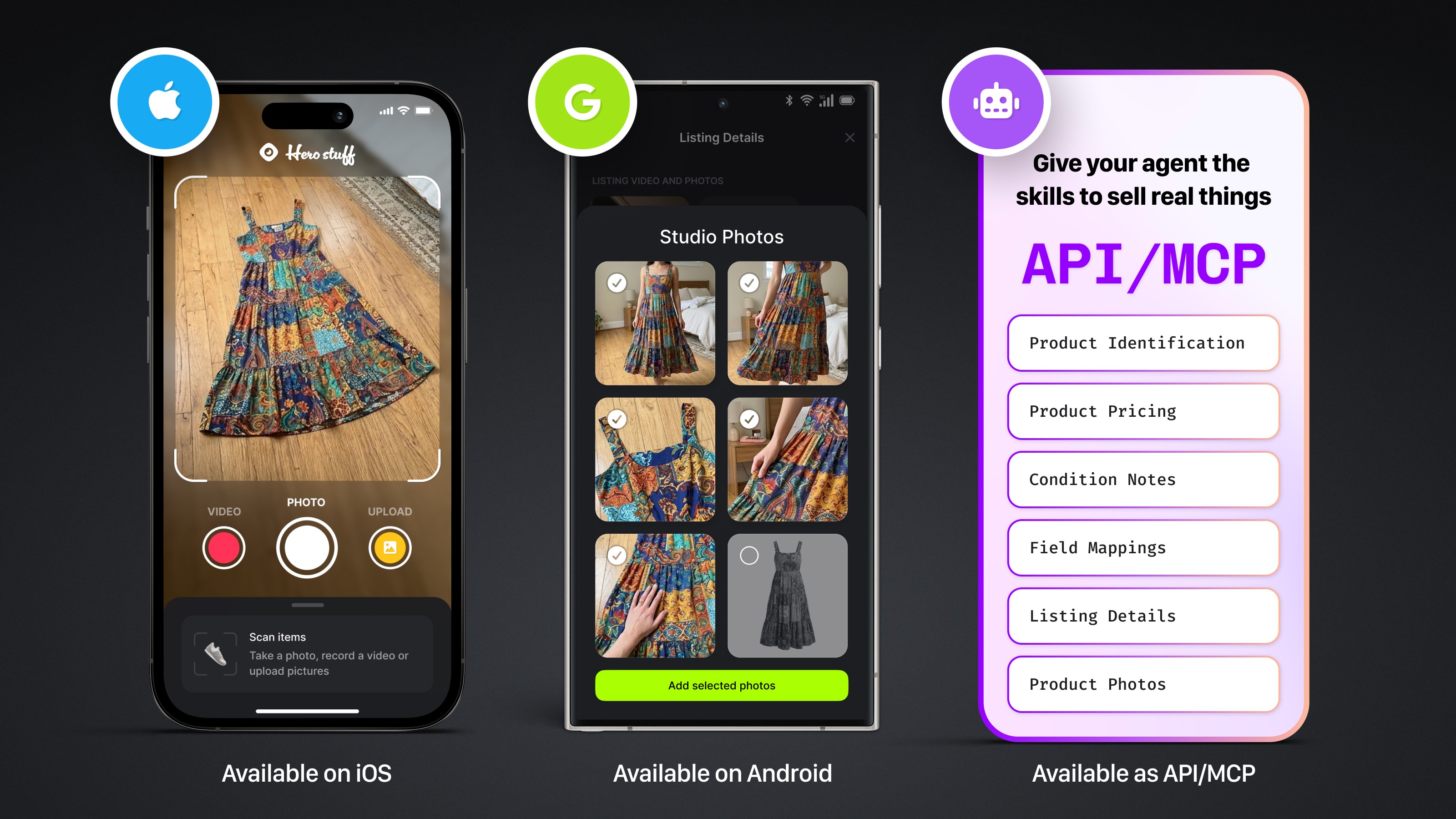
Hero Stuff is an AI selling app for iOS and Android that handles the slowest parts in one place. Snap a photo and Hero:
Identifies the item and prices it against real sold data
Writes the title and description for you
Lists on eBay and Facebook Marketplace from accounts you connect once
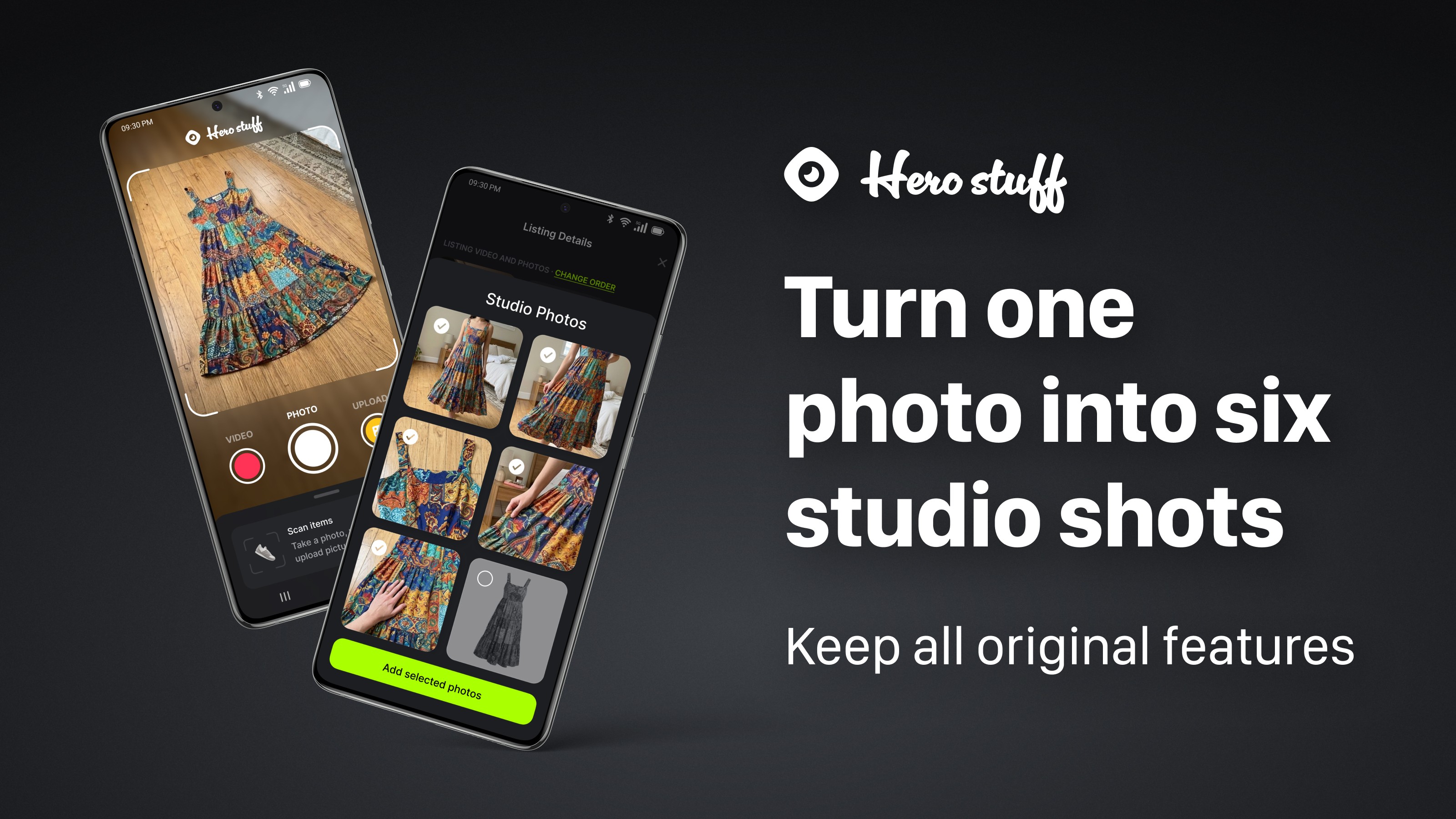
Cleans up photos with Studio Photos and background removal
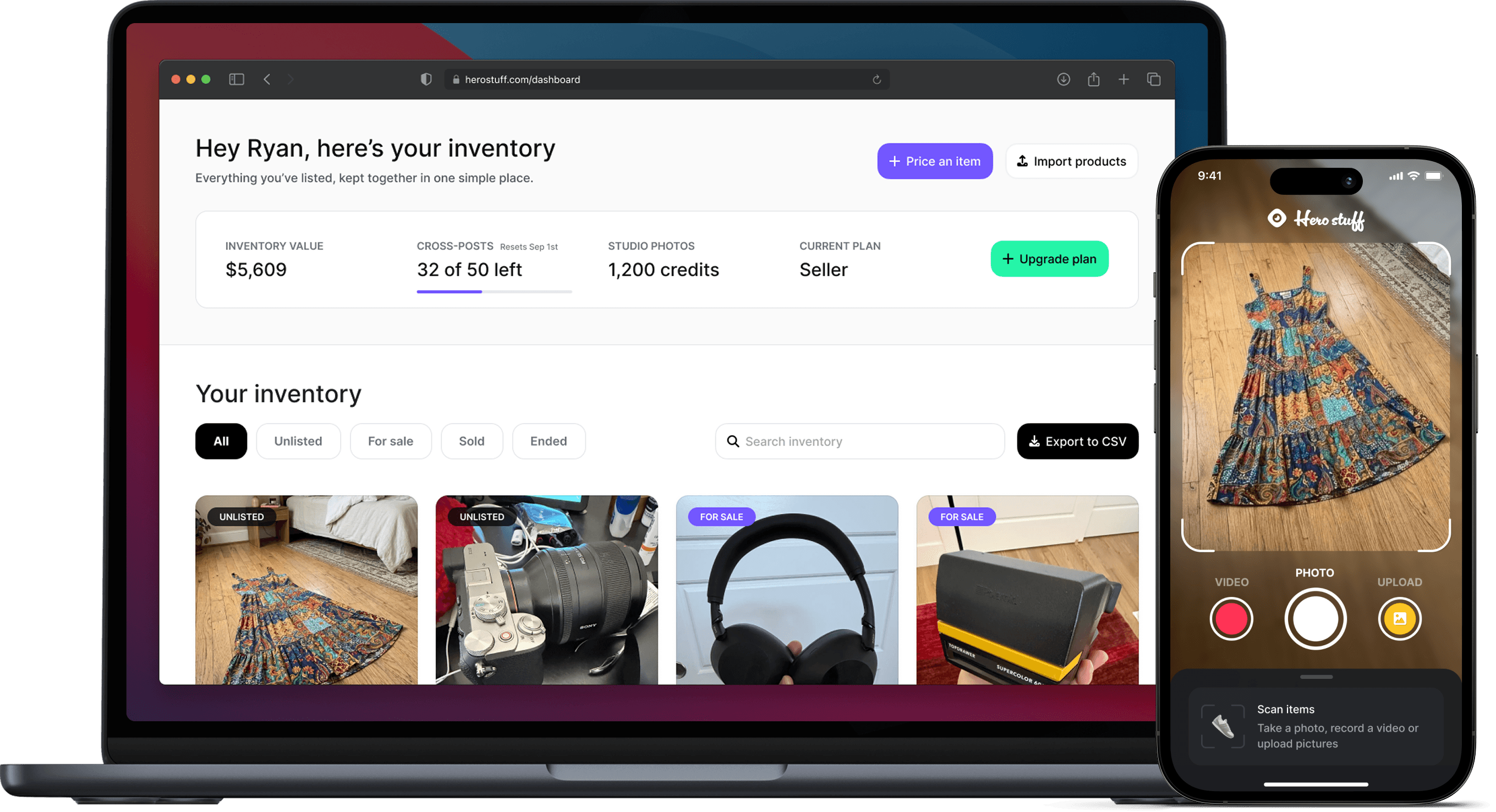
Bigger sellers can import a Shopify, WooCommerce or spreadsheet catalog and manage listings in bulk from a desktop dashboard.
Every paid plan includes unlimited price checks. Starter is $10/month for up to 10 published items, Semi Pro is $20/month for up to 30, and Pro is $30/month with no publishing limit (see pricing).
The honest verdict
Clearing out your home? eBay plus Facebook Marketplace and an AI listing app is all you need.
Flipping thrift finds part-time? Add fast price checking and crosslisting so you can list a haul in one sitting (best items to resell in 2026).
Running a resale business? You'll want bulk import, crosslisting and inventory management working together.
Start with one app that covers pricing and listing, then add tools only when something specific slows you down.
FAQ
What is the best app for reselling?
It depends on your bottleneck. For most people, an app that prices from sold data, writes the listing and posts to eBay and Facebook Marketplace saves the most time.
What's the best app to sell used stuff for beginners?
Facebook Marketplace for local sales and eBay for shipped sales, paired with an AI listing app so you're not typing every listing.
Do I need a crosslisting app?
Not for a handful of items. Once you're listing regularly on two or more marketplaces, crosslisting saves hours a week.
Are reselling apps free?
Many have free tiers or trials. Paid plans usually scale with how many items you list each month.
Try it
Got a pile of stuff to sell? Try Hero Stuff for free on iOS or Android, snap your first item and see the listing it writes.
Happy selling ✌️
The best apps for resellers in 2026

Is there an AI that creates eBay and Facebook Marketplace listings for you?

How to Import Shopify or WooCommerce Products to eBay and Facebook Marketplace
Hero now does bulk: connect Shopify, import your catalog, list everything

Hero is now available globally 🇩🇪 🇪🇬 🇮🇳
Four new ways to sell with Hero
Introducing Studio Photos: Turn one photo into six studio shots