Introducing Studio Photos: Turn one photo into six studio shots
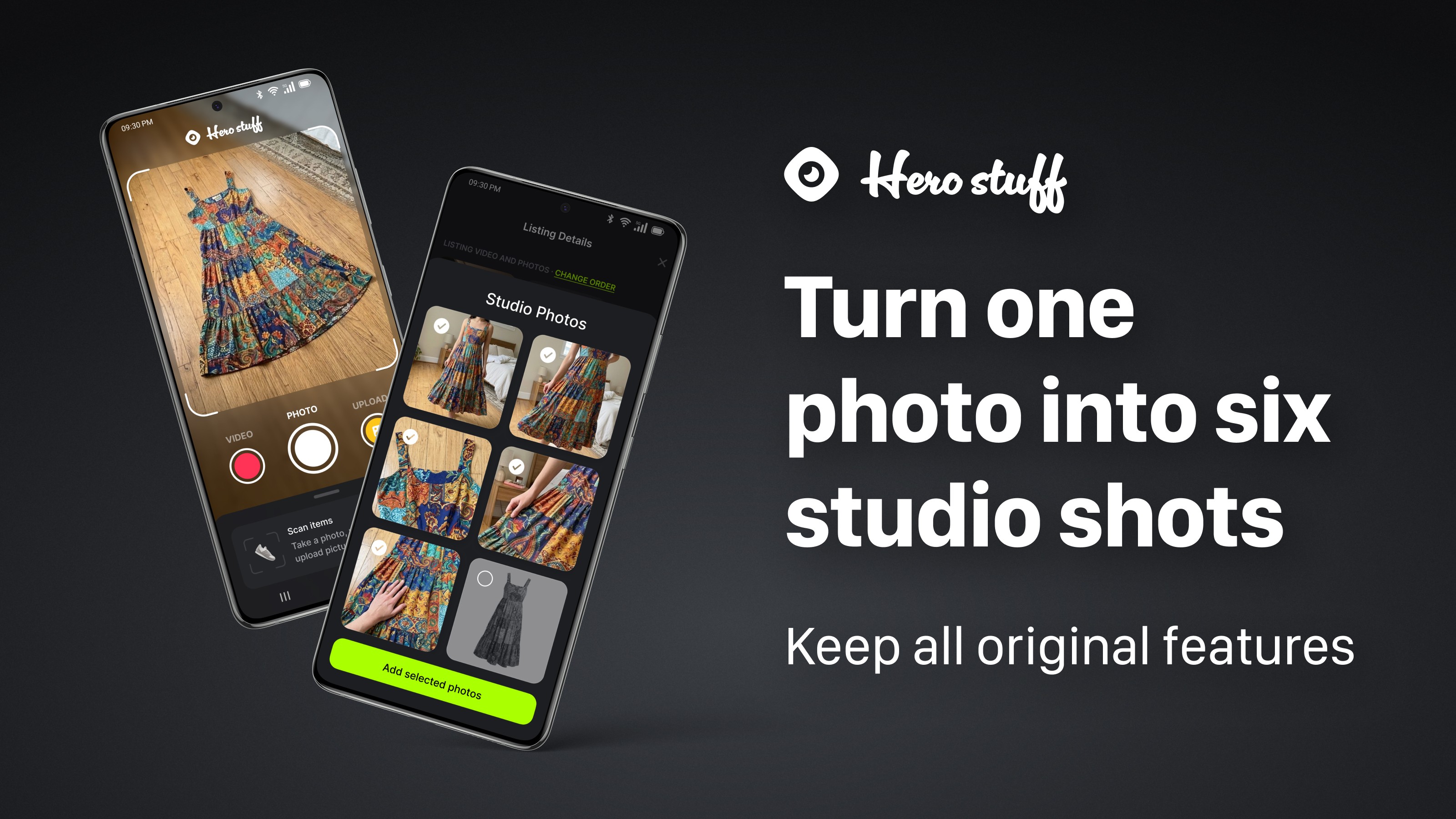
Bad lighting kills good listings. The dress is great. The photo of it crumpled on your hardwood floor at 9pm is not.
Today we're launching Studio Photos. Snap one photo of whatever you're selling and Hero turns it into six clean studio shots from every angle, including on-model photos for clothing. The item stays exactly as it is, scuffs and all. Only the photography gets better.
Studio Photos is live now on iOS and Android, and available as an API/MCP server for anyone building selling tools or AI agents.
One photo in, six studio shots out
Take a single photo the way you already do: item on the floor, on the couch, on your desk next to the keyboard. Hero generates six listing-ready photos from it.
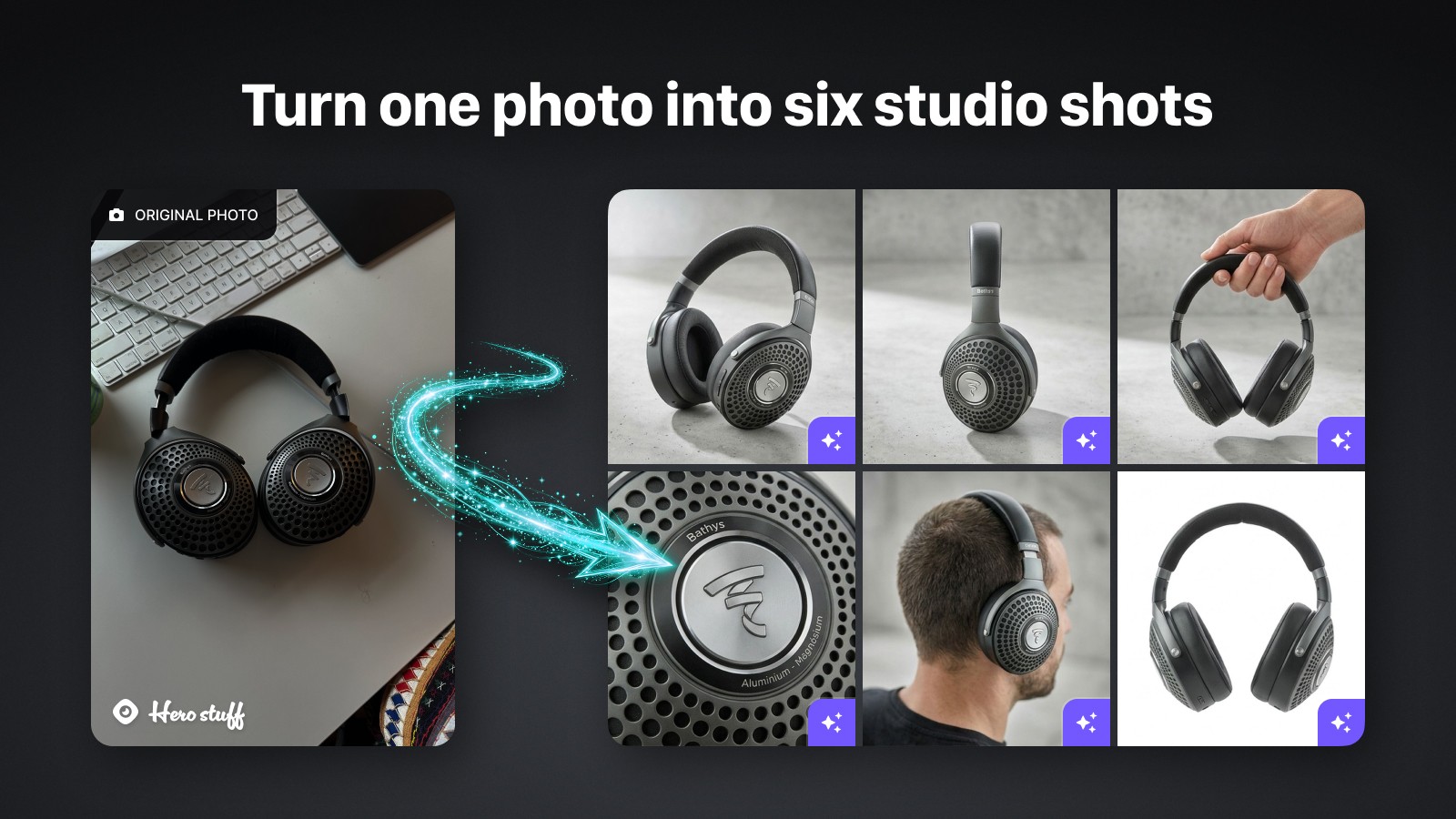
You get the angles buyers expect from a professional listing. Front, side, three-quarter view, close-up detail shots, and for many items, an in-use or in-hand shot. The kind of photo set that used to require a lightbox, a tripod, and an afternoon.
Then you pick. Every photo goes through you before it touches a listing. Select the shots you want, drop the ones you don't, and add them in one tap.
Same item, better photos
Here's the part we care about most: Studio Photos keeps the real product intact.
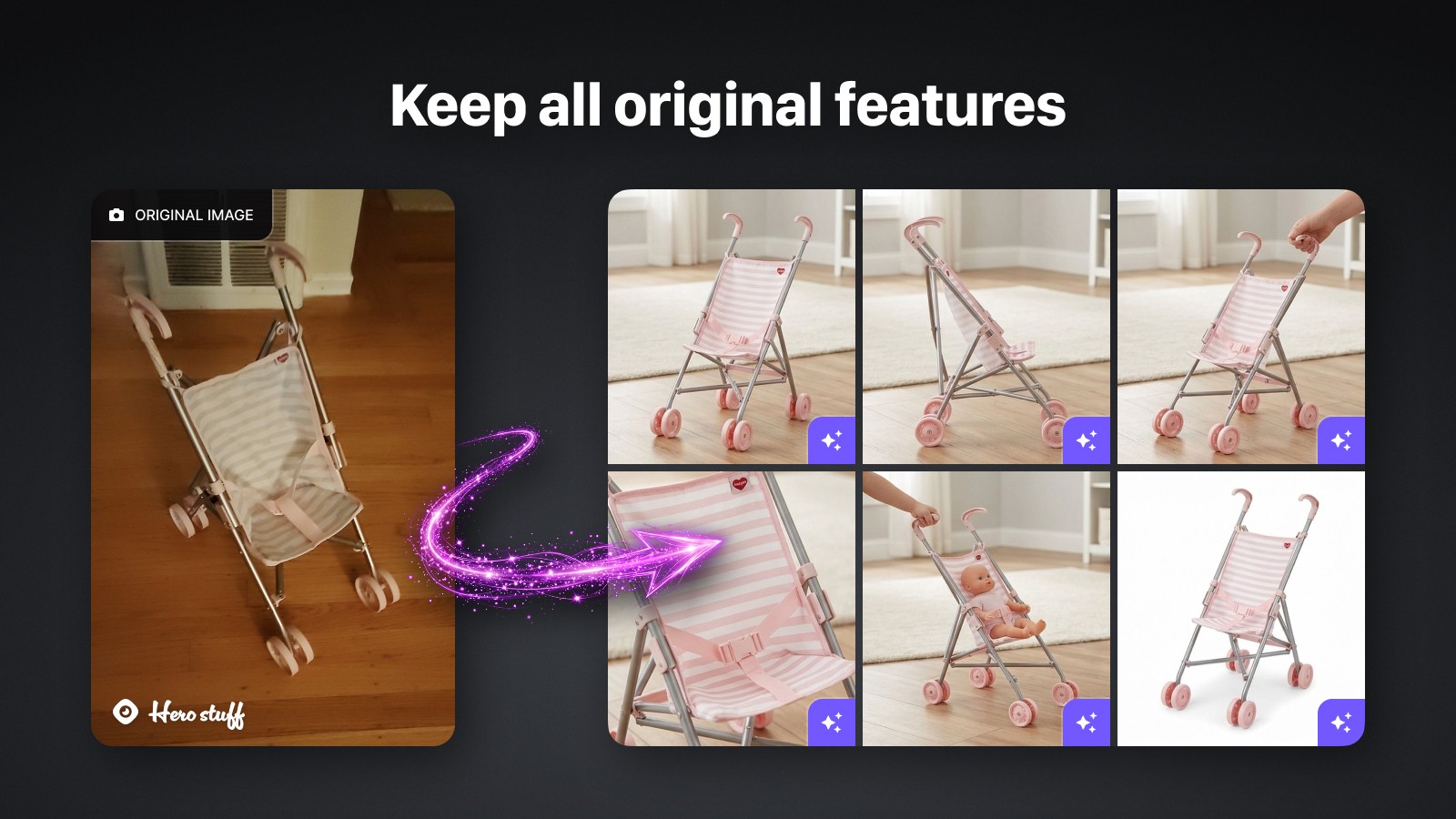
Blemishes stay. Wear stays. Labels, logos, stitching, the little scratch on the headband — all of it carries through to the generated shots. If your headphones have a scuffed earcup, the studio shots show a scuffed earcup.
That's deliberate. In secondhand selling, the flaws are the listing. Buyers want to see exactly what they're getting, and sellers who hide condition issues end up with returns and bad reviews. A photo tool that quietly "fixes" your item isn't doing you a favor. It's writing you a refund request.
Built for clothing
Clothing is the category where photos matter most and where taking them is hardest. Flat lays hide fit. Hangers hide shape. And most of us don't have a mannequin in the closet.
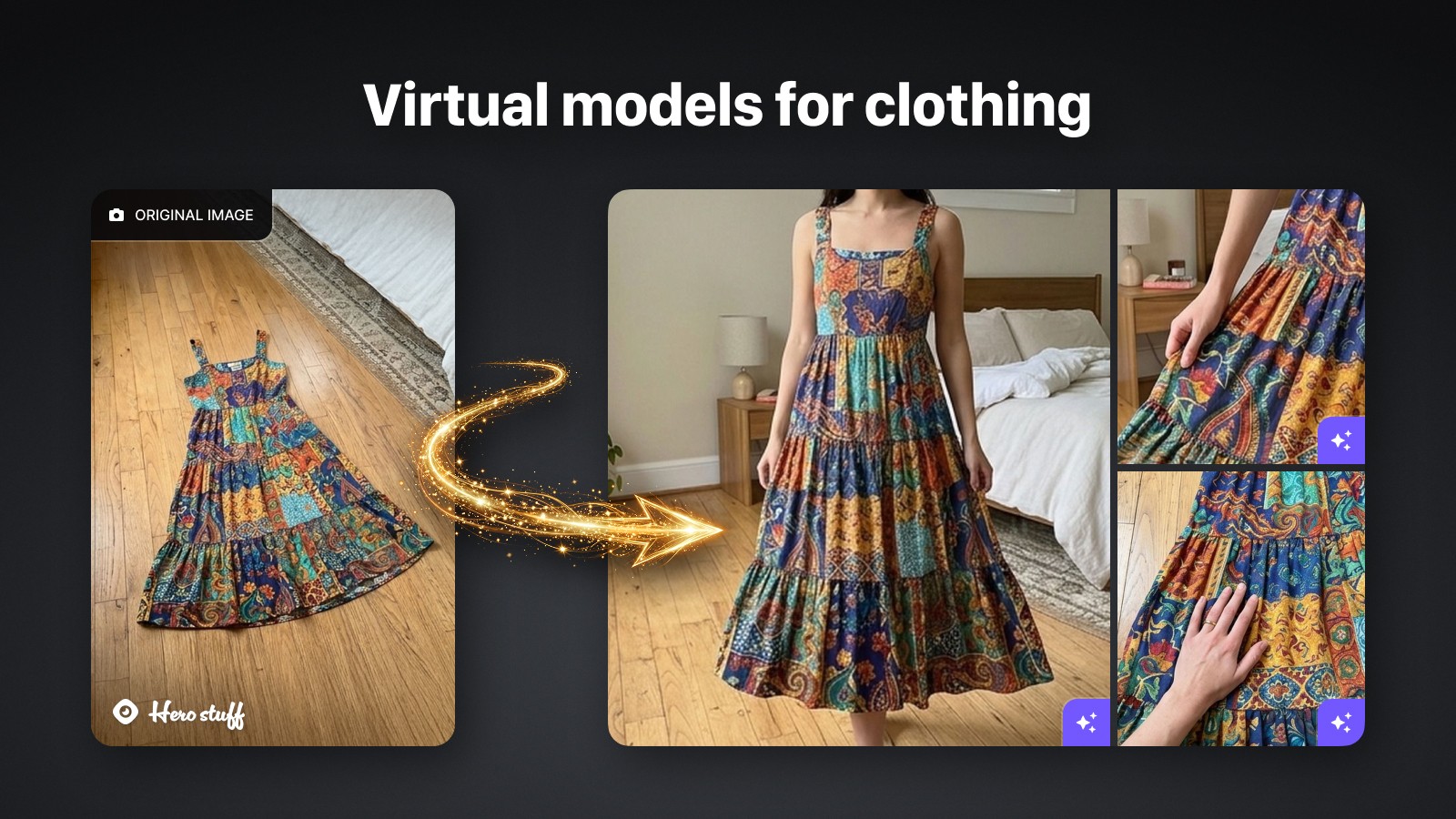
Studio Photos puts your clothing on a virtual model. Fabric, drape, color, and condition carry over from your original photo, so buyers can see how a dress actually falls instead of guessing from a floor shot. You also get detail crops of the print and texture, the close-ups buyers zoom in on before they commit.
One photo of a dress on your floor becomes a full apparel listing: worn on a model, detail shots, fabric close-ups.
Available everywhere, including for agents
Studio Photos is rolling out today on iOS and Android.
It's also available through our API/MCP server. If you're building a marketplace, a reselling tool, or an AI agent that needs to sell real things, you can plug Studio Photos in alongside our product identification, pricing, and listing endpoints. Your agent scans an item, prices it, writes the listing, and now generates the photos too.
Try it on your next listing
Open Hero Stuff, scan something you've been meaning to sell, and tap Studio Photos. Compare the shots against the photo you would have posted.
We think the difference will sell itself. And probably your item, too.

How to bulk list on eBay: CSV upload, Bulk Listing Tool, or AI

Price checker apps: how to check what something's worth before you buy it
The best apps for resellers in 2026

Is there an AI that creates eBay and Facebook Marketplace listings for you?

How to Import Shopify or WooCommerce Products to eBay and Facebook Marketplace
Hero now does bulk: connect Shopify, import your catalog, list everything

Hero is now available globally 🇩🇪 🇪🇬 🇮🇳